01
Click where the words go
Tap where the words go
An email, a chat, a form, a search box. Anywhere you could type.
Any text field in any app. Hold the 🌐 key and choose Verbatim.
Any text field in any app, with the Verbatim keyboard switched on.
Your words appear wherever you're typing — email, Slack, a document, anywhere. Transcribed on your own Mac / PC / iPhone or iPad / phone. Nothing is ever uploaded.
Demonstration: you start dictating into a message and say "Hi Sam, can you push Friday's delivery to the afternoon?". When you finish, the sentence is typed into the message, punctuated.
An email, a chat, a form, a search box. Anywhere you could type.
Any text field in any app. Hold the 🌐 key and choose Verbatim.
Any text field in any app, with the Verbatim keyboard switched on.
Hold right ⌥ / right Ctrl and say it in your normal voice. Double-tap to go hands-free.
Tap the blue mic on the Verbatim keyboard and say it in your normal voice.
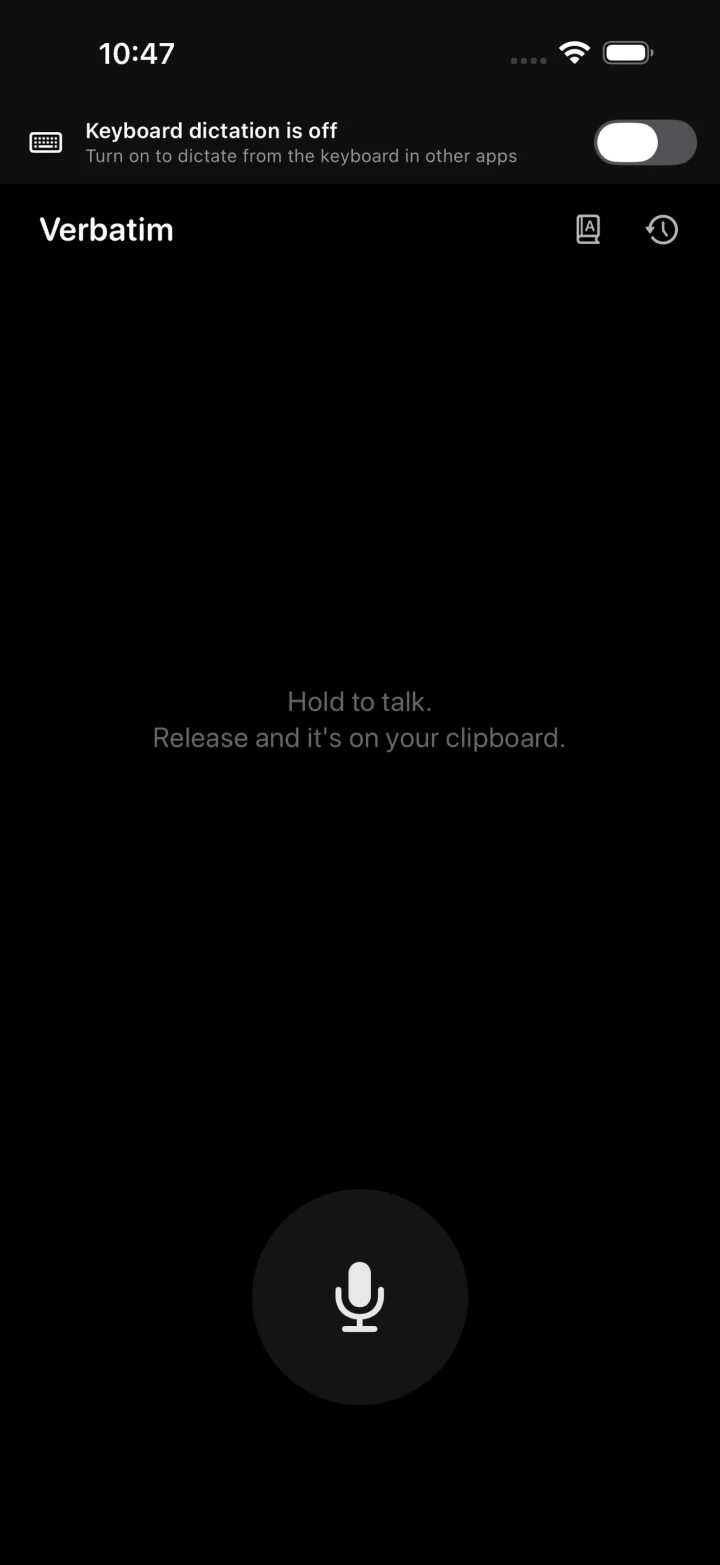
Hold the mic while you talk, or tap it once and it keeps listening.
Your words appear right where the cursor was, punctuated and capitalised.
Surnames, streets, suppliers, the jargon of your trade. Add the ones it keeps missing and anything close enough becomes your spelling — starting with the very next thing you say.
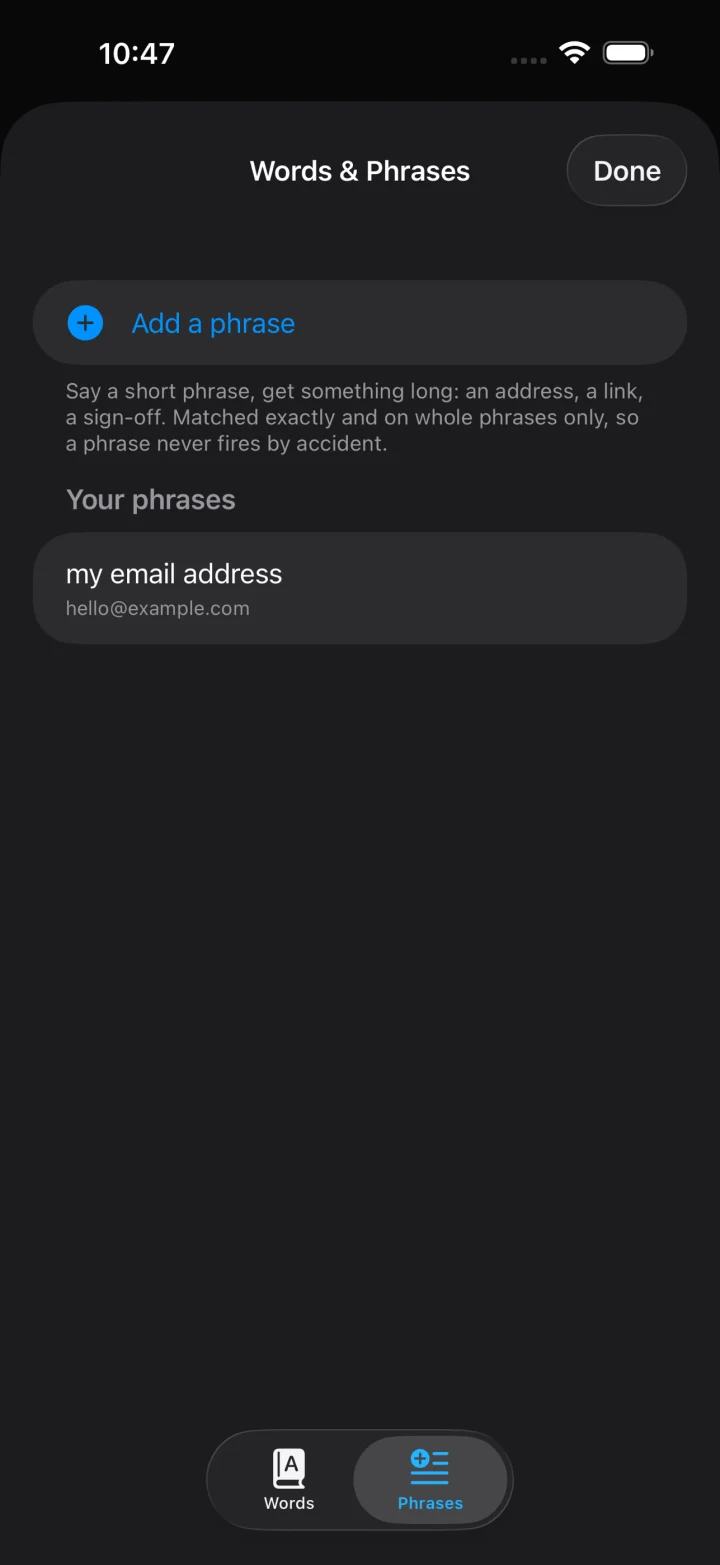
Say something short, get something long.
Say a list, get a list. Anything else stays exactly as you said it.
Double-tap the key to keep listening. Tap once more to stop.
In the app, double-tap the mic to keep listening. Tap once more to stop.
Tap the keyboard mic once and it keeps listening until you tap again.
Switch whenever, even mid-session. It checks what's actually plugged in.
Leave it on Automatic, or pick the microphone you want.
No window. A small circle sits in the bottom-right corner of your screen, level with the Dock.
No window. A small glyph sits in the notification area, down by the clock.
Recent transcriptions stay on your iPhone. Tap one to copy it, swipe to delete. They clear themselves after 7, 30 or 90 days — or keep them.
Recent transcriptions stay on your phone, encrypted. Turn history off, or clear it any time.
It types at the cursor, so there's nothing to integrate and no list of supported apps. If you can type there, you can talk there.
Speech is transcribed on your device. No account, tracking or uploads.
Held in memory while it transcribes, then discarded. Never written to a server — there isn't one.
No login, no API key, no analytics, no usage reports, no update checks. It doesn't phone home.
Turn the Wi-Fi off and it behaves identically. On a plane, in a basement, anywhere.
 $0.99once. No subscription.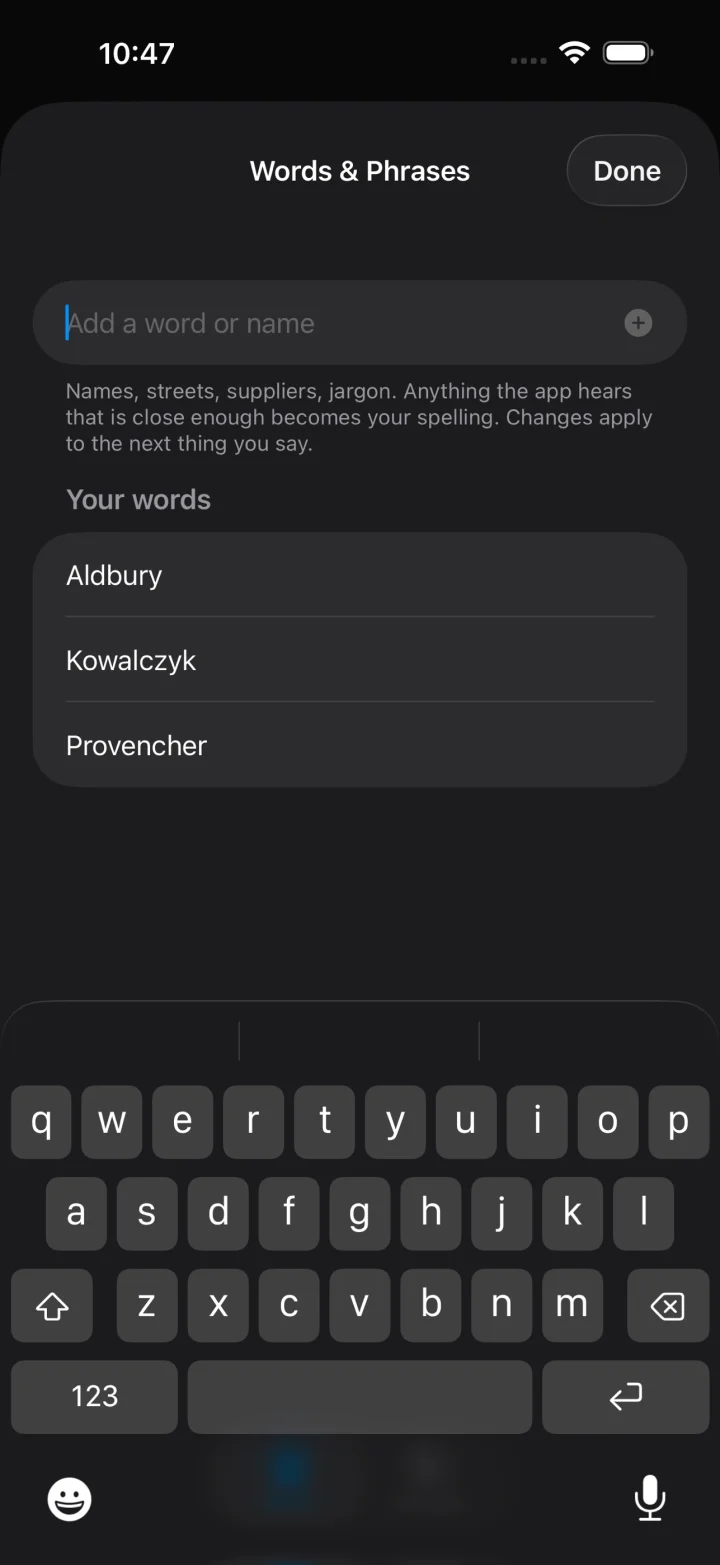
Types wherever your cursor is. Signed and notarised by Apple.
174 MB · .dmg
Types wherever your cursor is. Fastest with an NVIDIA GPU.
741 MB · .zip · SHA-256
A keyboard you can talk to, in every app. Also runs on Apple-silicon Macs.
US price; varies by country.
On its way to Google Play.
Open the download and drag Verbatim across. Then open it.
The first launch downloads the speech model — about 2.3 GB. It shows a progress window and only does this once.
Microphone to hear you, Accessibility to place the text, Input Monitoring to notice the hotkey. macOS asks for each.
Let go and your words are typed at the cursor. Double-tap instead to go hands-free, then tap again to stop.
Open Words & Phrases… from the menu bar icon. Changes apply to the very next thing you say.
There's no installer. Keep the folder's contents together and run Verbatim.exe from inside it.
It isn't code-signed, so SmartScreen will say the publisher is unknown. Choose More info, then Run anyway. It asks once.
The first launch downloads the speech model — about 500 MB, or about 2.9 GB on a PC with an NVIDIA graphics card. It only does this once.
Let go and your words are pasted at the cursor. Double-tap instead to go hands-free. No permission prompts — Windows doesn't need them for this.
Right-click the tray icon and choose Words & Phrases…. Windows likes to hide new tray icons — drag it out of the overflow arrow once and it stays put.
$0.99, once. Open it and it downloads its speech model — about 450 MB, with a progress bar. You can start talking while it loads.
Settings → General → Keyboard → Keyboards → Add New Keyboard…, then tap Verbatim under Third-Party Keyboards.
In the same list, tap Verbatim and turn on Allow Full Access. iOS requires it before a keyboard can talk to its own app, which is how the mic reaches the microphone. Nothing you type or say is sent anywhere.
Hold the 🌐 key and choose Verbatim. Tap the blue mic, speak, then tap the checkmark. In the Verbatim app itself, hold the mic to talk.
Open Words & Phrases in the app. Changes apply to the very next thing you say.
Verbatim for Android isn't on Google Play yet. Here's how it will work.
Allow the microphone, and let it download its speech model — about 670 MB, once, with progress shown.
Turn it on in your keyboard settings, then pick it in any text field.
Hold it while you speak, or tap it once to keep listening. Your words go straight into the field — never into a password field.
Words, Phrases, Formal or Literal style, and history you can switch off.